
 Hyundai Sonata: Defroster
CAUTION
To prevent damage to the conductors bonded to the inside surface of the rear window, never use sharp instruments or window cleaners containing abrasives to clean the window.
✽ NOTICE
If you want to defrost and defog the front windshield, refer to “Windshield defrosting and defogging� in this section.
Rear window defroster
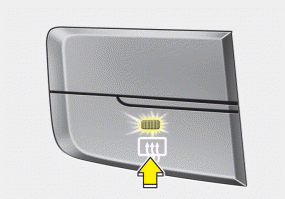
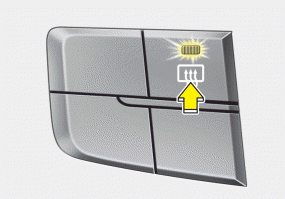
The defroster heats the window to remove frost, fog and thin ice from the rear window, while the engine is running. To activate the rear window defroster, press the rear window defroster button located in the center facia switch panel.
The indicator on the rear window defroster button illuminates when the defroster is ON.
If there is heavy accumulation of snow on the rear window, brush it off before operating the rear defroster.
The rear window defroster automatically turns off after approximately 20 minutes or when the ignition switch is turned off. To turn off the defroster, press the rear window defroster button again.
Outside rearview mirror defroster
If your vehicle is equipped with the outside rearview mirror defrosters, they will operate at the same time you turn on the rear window defroster.
 Vanity mirror lamp
Pull the sunvisor downward and you can turn the vanity mirror lamp ON or OFF
by pushing the button.
• : To turn the lamp ON.
: To turn the lamp OFF.
CAUTION
To prevent unnecessary cha ...
 Manual climate control system
Type A
Type B
1. Front windshield defrost button
2. Rear window defroster button
3. Fan speed control knob
4. Mode indicator
5. Mode selection button
6. Air intake control button
7. Air co ...
See also:
Windshield Deicer Switch. Repair procedures
Inspection
1.
The windshield deicer switch inputs can be checked using the GDS.
2.
To check the input value of windshield deicer switch, select ...
Cylinder Head. Components and Components Location
Components
1. Camshaft bearing cap
2. Camshaft front bearing cap
3. Exhaust camshaft
4. Intake camshaft
5. Exhaust CVVT assembly
6. Intake CVVT assembly
7 ...
Special Service Tools
Special Service Tools
Tool(Number and Name)
Illustration
Use
Deployment tool
0957A-34100A
Airbag deployment tool.
...
