
 Hyundai Sonata: PDM(Power Distribution Module). Repair procedures
Inspection
PDM Diagnosis With GDS
| 1. |
It will be able to diagnose defects of Smart key with GDS quickly.
GDS can operates actuator forcefully, input/output value monitoring
and self diagnosis.
|
| 2. |
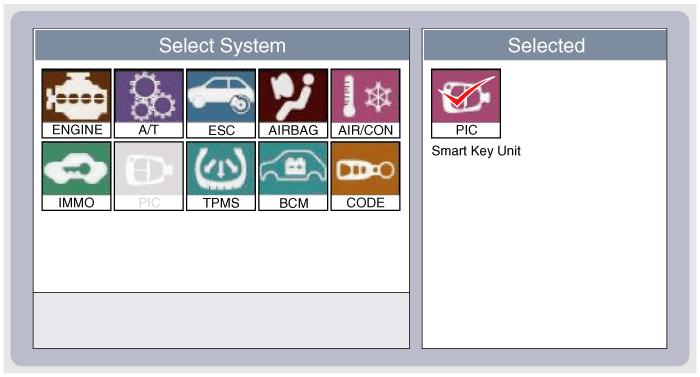
Select model and "Smart key system (Button start)" menu if you
want to check PDM.
|
| 3. |
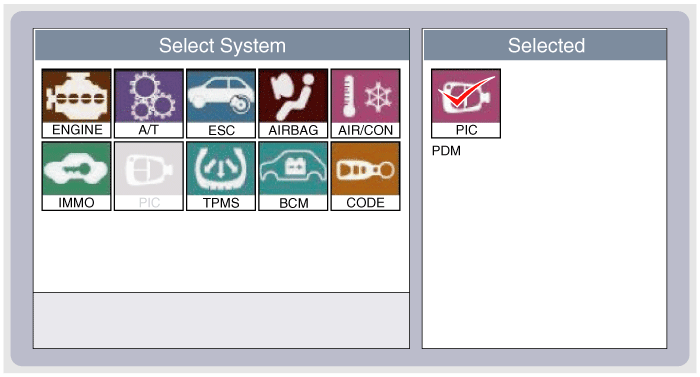
Select "PDM" in the manu.
|
| 4. |
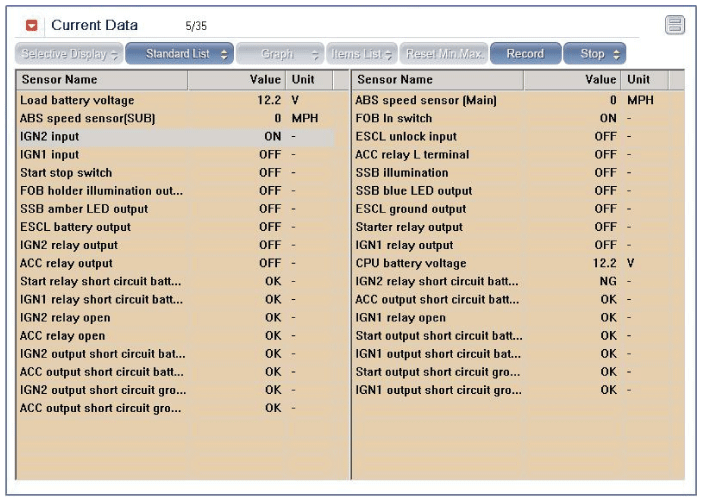
Select "Current Data", if you want to check current data of PDM.
It provides the input/output status of each module.
|
| 5. |
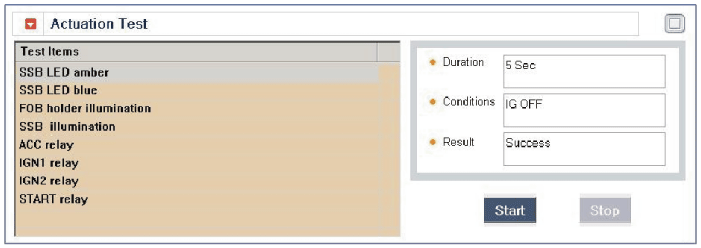
If you want to check PDM data operation forcefully, select "Actuation
test".
|
Input/output Current Data
|
NO |
Description |
Unit |
|
1 |
Load Battery Voltage |
V |
|
2 |
Abs Speed Sensor(main) |
Km/h |
|
3 |
Start Stop Button SW |
OFF/ON |
|
4 |
ACC input |
OFF/ON |
|
5 |
IGN1 Input |
OFF/ON |
|
6 |
IGN2 Input |
OFF/ON |
|
7 |
Fob In Switch |
RELEASE/INSERT |
|
8 |
Start Relay Monitoring Input |
|
|
9 |
SSB Ember LED Output |
OFF/ON |
|
10 |
SSB Blue LED Output |
OFF/ON |
|
11 |
Fob Holder Illumination Output |
OFF/ON |
|
12 |
SSB Illumination Output |
OFF/ON |
|
13 |
ACC Relay Output |
OFF/ON |
|
14 |
IGN1 Relay Output |
OFF/ON |
|
15 |
IGN2 Relay Output |
OFF/ON |
|
16 |
Start Relay S1 Output |
OFF/ON |
|
17 |
- |
- |
|
18 |
- |
- |
|
19 |
CPU Battery Voltage |
V |
|
20 |
Engine Speed |
DATA*1.0 |
|
21 |
ACC Relay SCB |
OFF/ON |
|
22 |
IGN1 Relay SCB |
OFF/ON |
|
23 |
IGN2 Relay SCB |
OFF/ON |
|
24 |
Start Relay SCB |
OFF/ON |
|
25 |
SCC Relay Open |
OFF/ON |
|
26 |
IGN1 Relay Open |
OFF/ON |
|
27 |
IGN2 Relay Open |
OFF/ON |
|
28 |
ACC Output SCB |
OFF/ON |
|
29 |
IGN1 Output SCB |
OFF/ON |
|
30 |
IGN2 Output SCB |
OFF/ON |
|
31 |
Start Output SCB |
OFF/ON |
|
32 |
ACC Output SCG |
OFF/ON |
|
33 |
IGN1 Output SCG |
OFF/ON |
|
34 |
IGN2 Output SCG |
OFF/ON |
|
35 |
Start Output SCG |
OFF/ON |
Actuation Test
|
No. |
Description |
|||
|
1 |
SSB Ember LED |
|||
|
2 |
SSB Blue LED |
|||
|
3 |
Fob Holder Illumination |
|||
|
4 |
SSB Illumination |
|||
|
5 |
ACC Output |
|||
|
6 |
ING1 Output |
|||
|
7 |
ING2 Output |
|||
|
8 |
Start Output |
|||
|
9 |
- |
|||
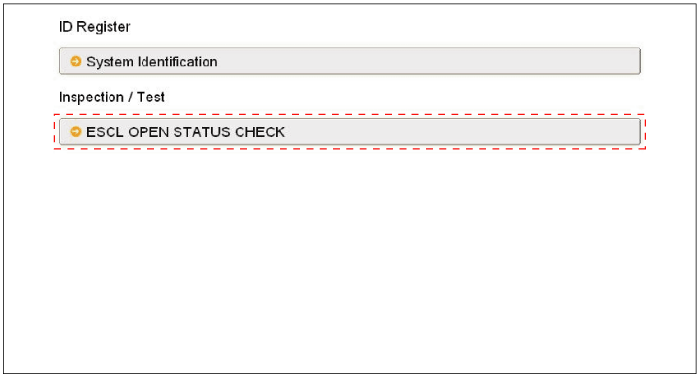
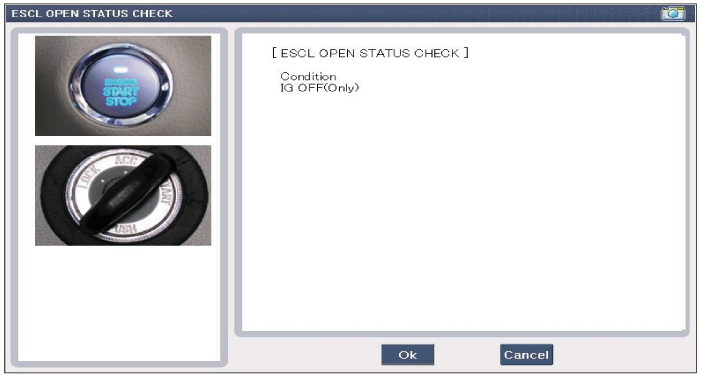
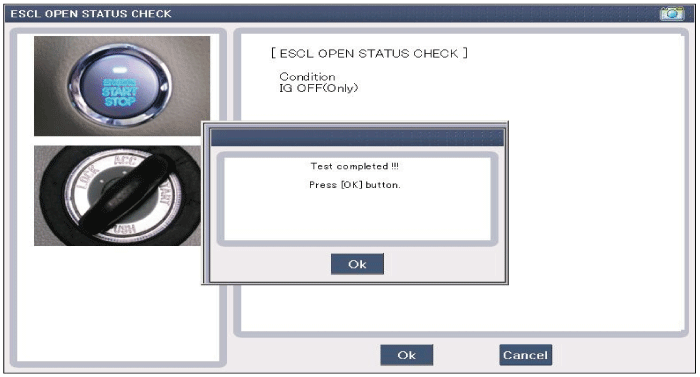
ESCL OPEN STATUS CHECK
| 1. |
Select the "ESCL open status check" menu if you want to check
ESCL open.
|
Removal
| 1. |
Disconnect the negative (-) battery terminal.
|
| 2. |
Remove the glove box housing.
(Refer to the BD group - "Crash pad")
|
| 3. |
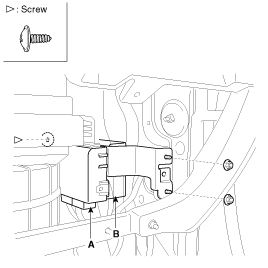
Remove the smart key unit (A) and PDM (B) with bracket after loosening
the mounting nuts (2EA) and screw (1EA).
|
| 4. |
In case of Canada, remove the PDM with bracket (A) after loosening
the mounting nuts and screws and shear bolt.
|
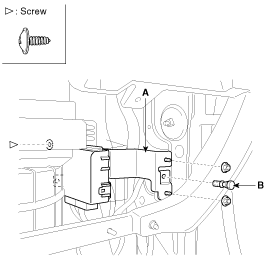

| 5. |
Remove the PDM from the bracket after disconnecting the connectors.
|
Installation
| 1. |
Install the power distribution module.
|
| 2. |
Install the glove box housing.
|
 PDM(Power Distribution Module). Schematic Diagrams
System Circuit Diagram
...

See also:
Brake Pedal. Components and Components Location
Components
1. Cowl bracket
2. Brake pedal member assembly
3. Stop lamp switch
4. Return spring
5. Brake pedal stopper
6. Clevis pin
7. Snap pin
8. Brak ...
Flex Steer. Repair procedures
Inspection
1.
Check the audio remote control switch for resistance between terminals
in each switch position.
Switch
Connector ...
Fuel Filter. Repair procedures
Replacement
1.
Remove the fuel pump (Refer to “Fuel Pump� in this group).
2.
Disconnect the electric pump wiring connector (A) and the fuel ...
