
 Hyundai Sonata: CD Player : Audio with internal amplifier / Audio with external amplifier
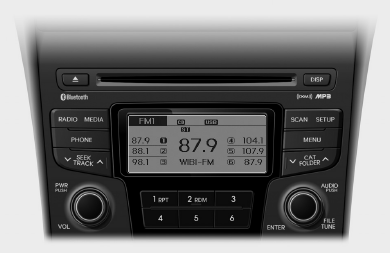
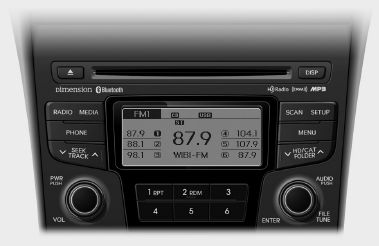
- System controllers and functions
- Display settings
- Sound settings
- Phone setup
- System settings
- HD Radio information
- RADIO : FM, AM OR XM Changing RADIO mode (FM, AM or XM)
- HD radio
- XM radio
- How vehicle audio works
- Satellite radio reception
- BASIC METHOD OF USE : Audio CD / MP3 CD / USB / iPod / My Music
- MENU : Audio CD
- MENU : MP3 CD / USB
- MENU : iPod
- MENU : My Music Mode
- Care of disc
- Bluetooth® Wireless Technology AUDIO
- Phone
- Voice command
 Steering wheel audio control
The steering wheel may incorporate audio control buttons.
CAUTION
Do not operate audio remote control buttons simultaneously.
1. VOLUME (VOL+/-)
Push the lever upward (+) to increase the volu ...
 System controllers and functions
Audio Head Unit
1. (EJECT)
• Ejects the disc.
2.
Changes to FM/AM/XM mode.
Each time the key is pressed, the mode is changed in order of FM1 ➟ FM2
➟ AM ➟ XM1 ...
See also:
Transaxle Control Module (TCM). Repair procedures
Replacement
In the case of the vehicle equipped with immobilizer
or button engine start system, perform "Key Teaching&quo ...
Phone setup
Press the key Select [Phone] through
TUNE knob or
key Select menu through
TUNE knob
Pair Phone
CAUTION
To pair a Bluetooth® Wireless Technology enabled mobile phone, authentication
and ...
Heated Oxygen Sensor (HO2S). Specifications
Specification
HO2S [Bank 1/Sensor 1]
Item
Specification
Heater Resistance (Ω)
2.5 ~ 4.0 [20°C(68°F)]
HO2S [Bank 1/Sensor 2 ...
